Kill the process using a port on Mac.
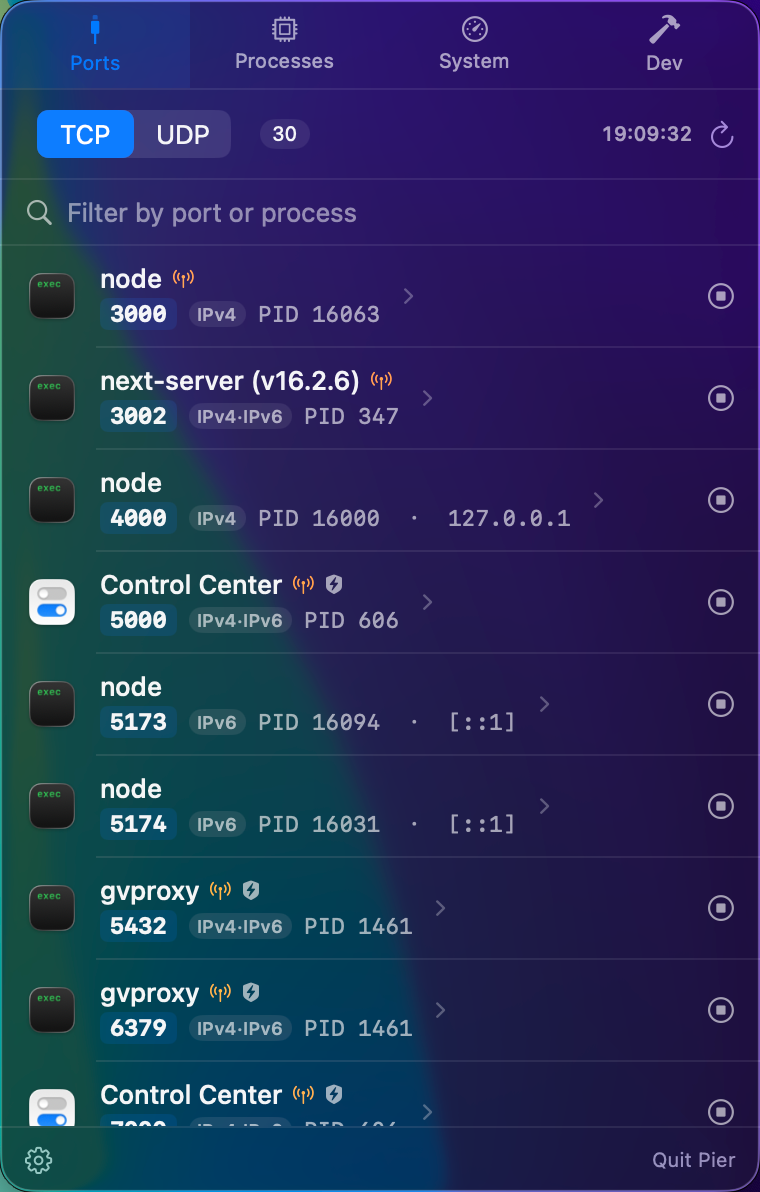
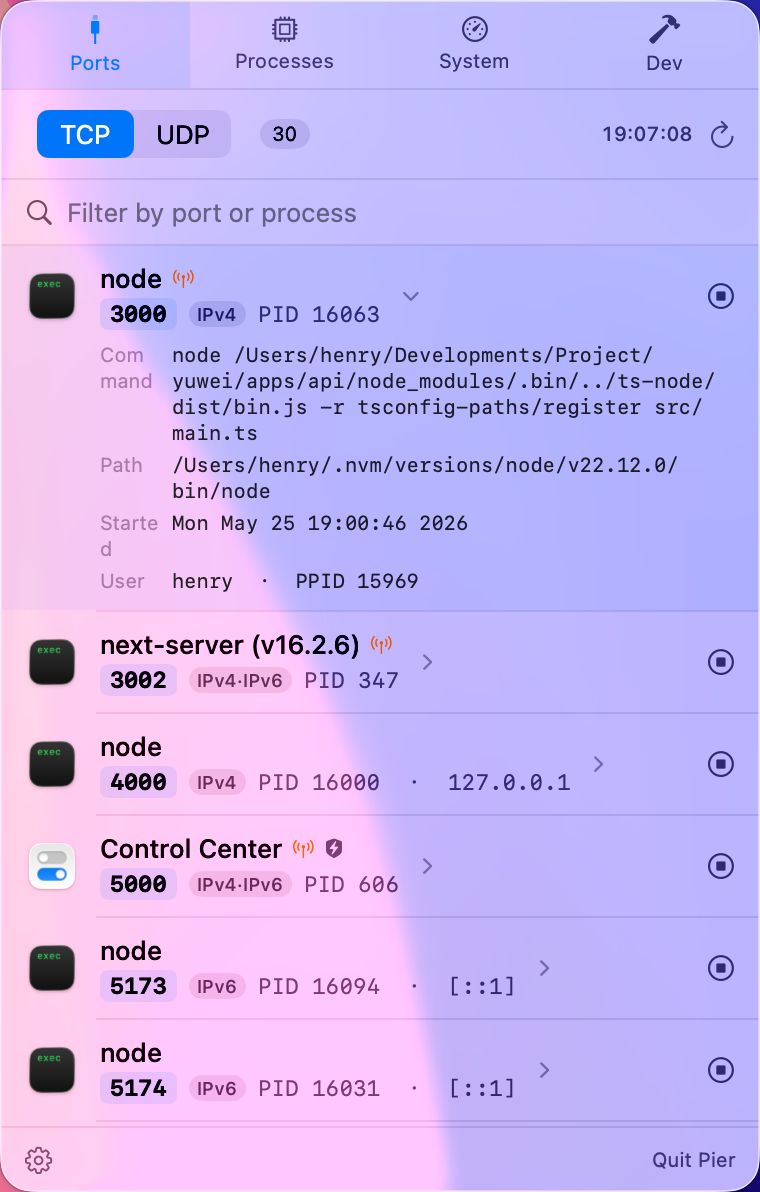
When a dev server says port 3000 is already in use, Pier shows the owning app, PID, full command line, project folder, and whether the port is exposed to your network before you stop it.
The terminal way works, but it is easy to lose context.
The usual macOS workflow is to find a PID with lsof, then send a signal with kill. It works, but it does not tell you whether the process is a real project, a Docker proxy, a system daemon, or a GUI app you should leave alone.
lsof -nP -iTCP:3000 -sTCP:LISTEN
kill <PID>
Pier keeps that power, but adds the missing context: process name, icon, path, command line, startup time, project working directory, and launchd or system-process warnings.
Use Pier when the port number is the starting point.
- Search for 3000, 5173, 8000, 5432, or any listening TCP/UDP port.
- See whether the address is localhost-only or bound to all interfaces.
- Expand the row to inspect the command and executable path.
- Stop with SIGTERM first, or force kill from the context menu when you really need it.
Good fit for local development loops.
Frontend servers, API backends, Rails, Django, Spring Boot, Postgres, Redis, Docker Desktop, OrbStack, Podman, and Homebrew services all tend to leave ports behind. Pier is built for that repeated cleanup path, not just a one-off process list.