A Mac port monitor built for local development.
Pier lives in the macOS menu bar and shows listening TCP and UDP ports, the owning process, app icon, PID, project folder, and whether a service is exposed beyond localhost.
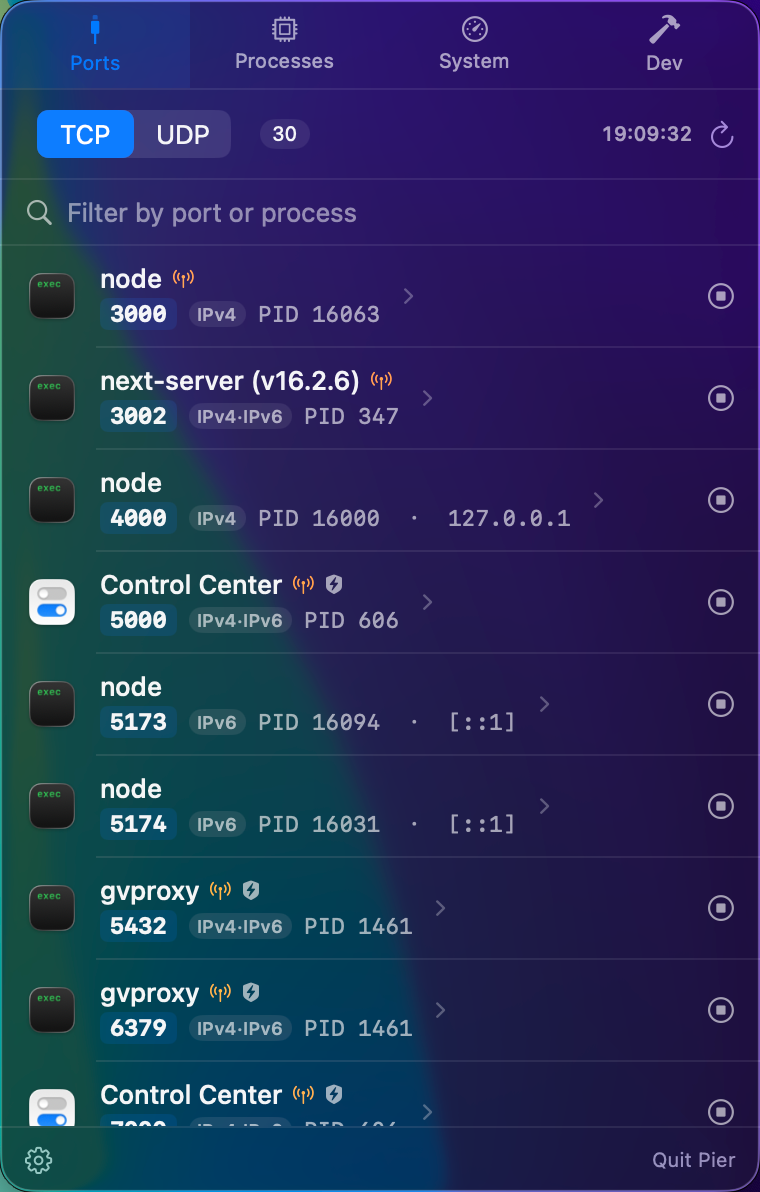
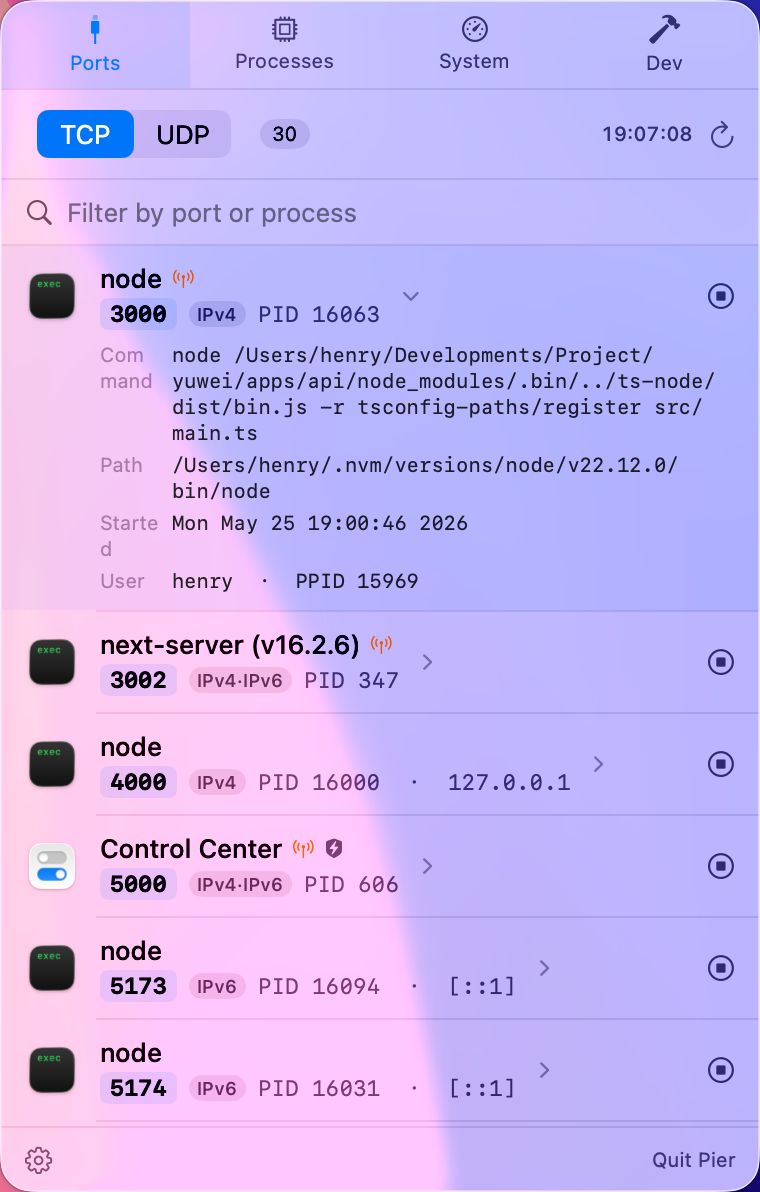
A port list is only useful when it explains what owns each port.
Raw command output is fast, but it leaves you translating PIDs into apps, services, projects, and risk. Pier keeps the list close and makes it actionable.
Ports with owners
See the process, app name, icon, PID, protocol, IPv4 or IPv6 family, and bound address in one row.
Project context
When macOS exposes the working directory, Pier shows which local project is behind a server.
Exposure alerts
Wildcard binds such as 0.0.0.0 or * are highlighted so you can catch services visible on your LAN.
Designed around developer ports.
Pier is useful when Vite, Next.js, Rails, Django, FastAPI, Spring Boot, Postgres, Redis, Docker, Podman, or Homebrew services are all running at once. You can filter by port number or process name, expand rows for details, copy localhost addresses, reveal executables, and stop processes from the same panel.
Works alongside the terminal.
It does not replace terminal tools. It makes the repeat checks easier: what is listening, who owns it, is it exposed, and can I safely stop it?